Change Email/Password
When you click the button you will be taken to a page that looks like the following:
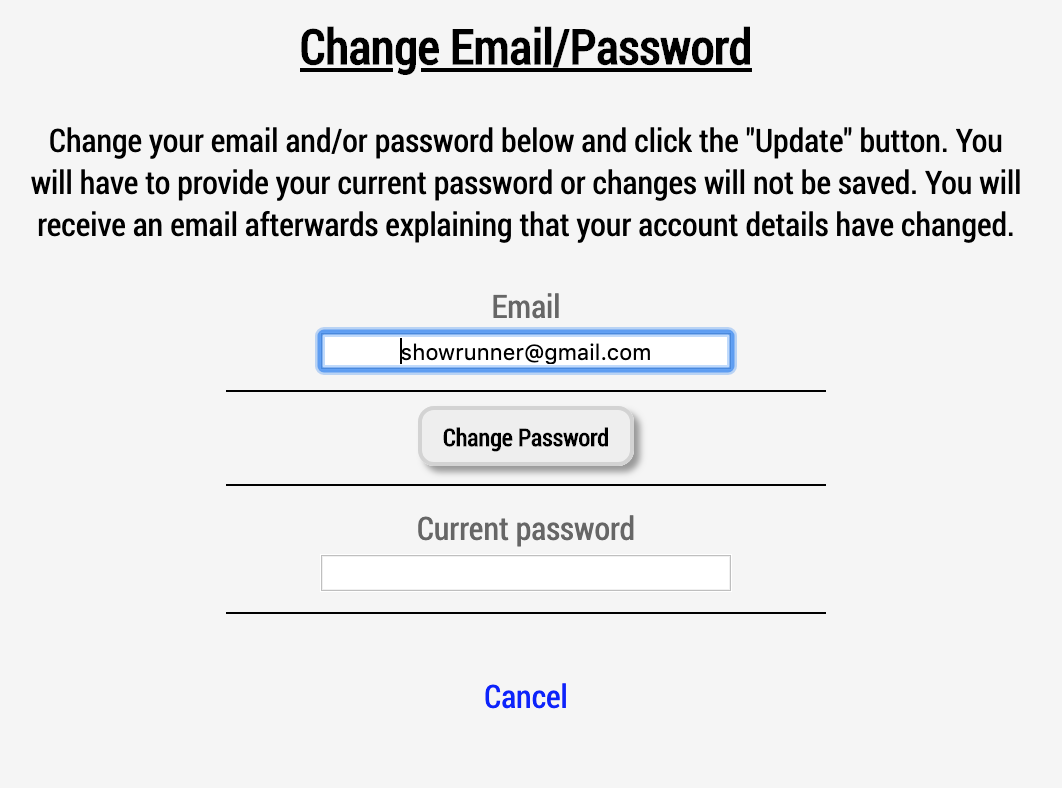
This screen allows your to change the email associated with your account and/or the password you use to login to the Human Input system. Update your email to something else, and click the "Change Password" button if you'd like to also change your password, enter your current password to authorize the change and click the submit button.
If you change your mind and do not want to change your email and/or password, simply click the "Cancel" link and you will be taking back to your Show index.
If you go through the process of changing your email and/or password, you will receive an email indicating that the change was made. If you ever see such an email and you did not initiate the change Please contact customer service immediately.